
Talkative changelog
VoiceAI gets a major upgrade with in-browser testing, multi-language voice selection, and powerful new tools. Plus: expanded agent console languages and cleaner config handling.
Release 1.131.0 · June 12, 2025
New features
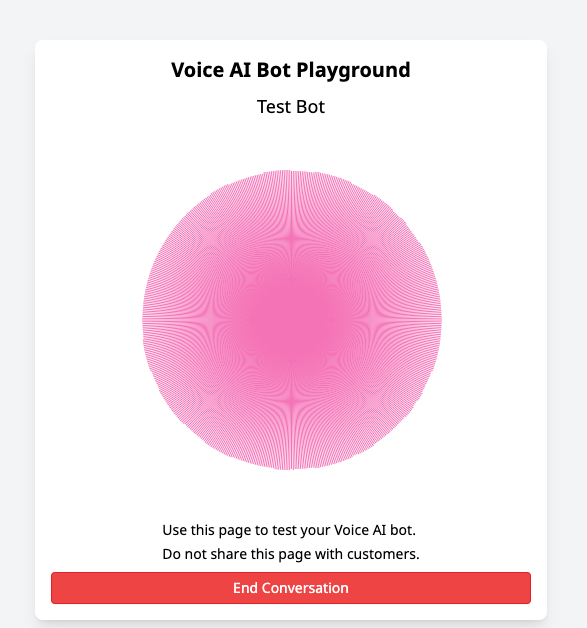
VoiceAI playground
You can now test your VoiceAI bots directly from the browser. Just open your VoiceAI config and click the “Test your Voice AI Bot in your browser” button to hear how it responds - no phone required.
→ Learn more about VoiceAI features and browser testing
VoiceAI voice selection
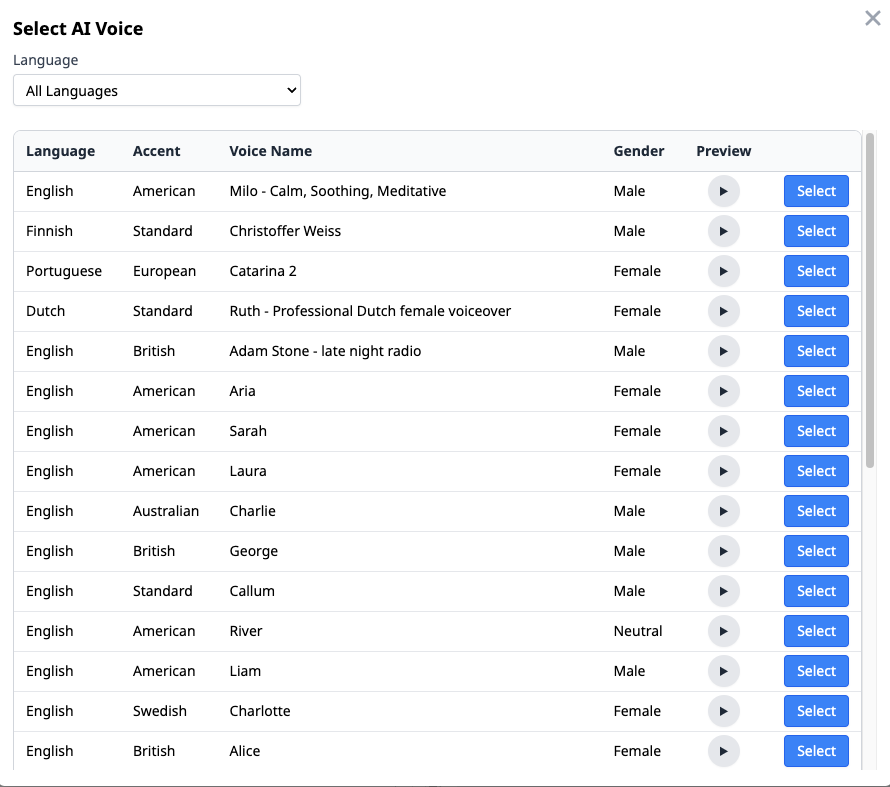
You can now choose from a wide range of voices for your VoiceAI bots, including support for multiple languages: Dutch, English, Finnish, German, and Portuguese. Preview and assign voices directly in the VoiceAI config editor.
→ See full language list and setup guide
VoiceAI tools
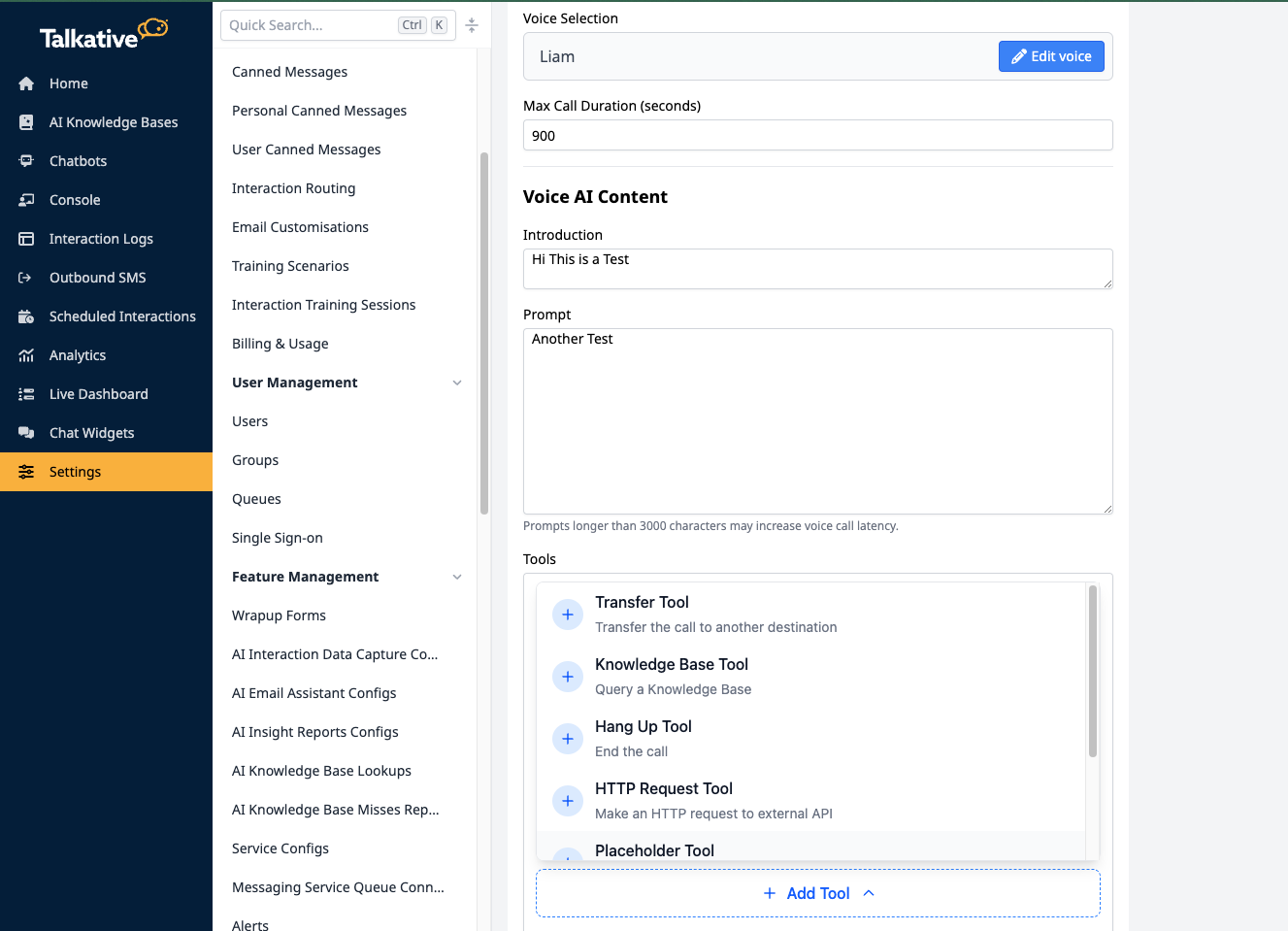
Add actions to your bot with the new Tools section. This makes VoiceAI support smarter, more flexible call handling. Available tools include:
Transfer
Hang up
Placeholder
Knowledge Base query
HTTP Request
Cal.com integration
You’ll find them in Settings → VoiceAI Bots, under the Tools section.
→ Full setup details for VoiceAI tools
Improvements
New agent console languages
We’ve expanded our supported languages in the agent console. This includes Chinese (Simplified and Traditional), Dutch, Estonian, French (Canada), Italian, Japanese, Portuguese (Brazil), Russian, Spanish (Latam), Taiwanese, and Welsh.
Labels in AI Data Capture configs
Each AI Data Capture configuration now has a label so you can identify them at a glance in the settings view.
Billing email required for new companies (Partners only)
To avoid downstream billing issues, it’s now mandatory to input a billing email address when creating a new company.
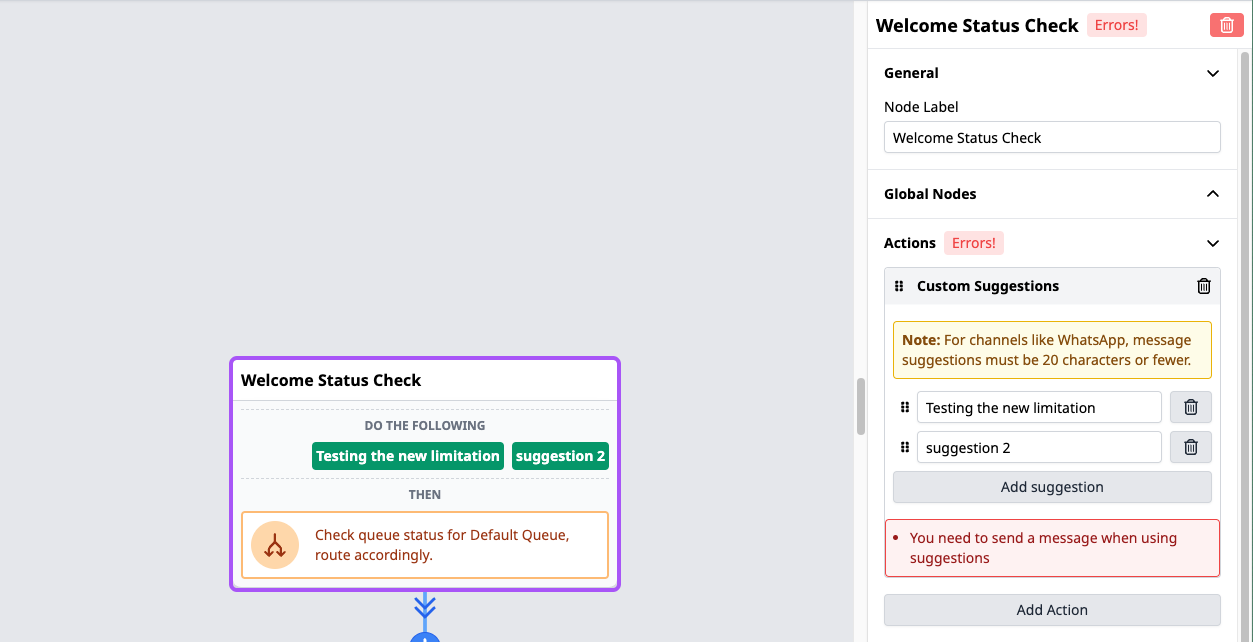
Character limit for WhatsApp suggestion messages
We’ve added a 20-character limit for WhatsApp custom suggestion messages to ensure compatibility and avoid failures.
Bug fixes
Fixed an issue where certain PDFs failed to upload when scanned via URL into the AI Knowledge Base.