
Talkative changelog
New LLM-powered search, an easier setup experience and even more improvements in VoiceAI.
Release 1.133.0 · 10th July 2025
New features
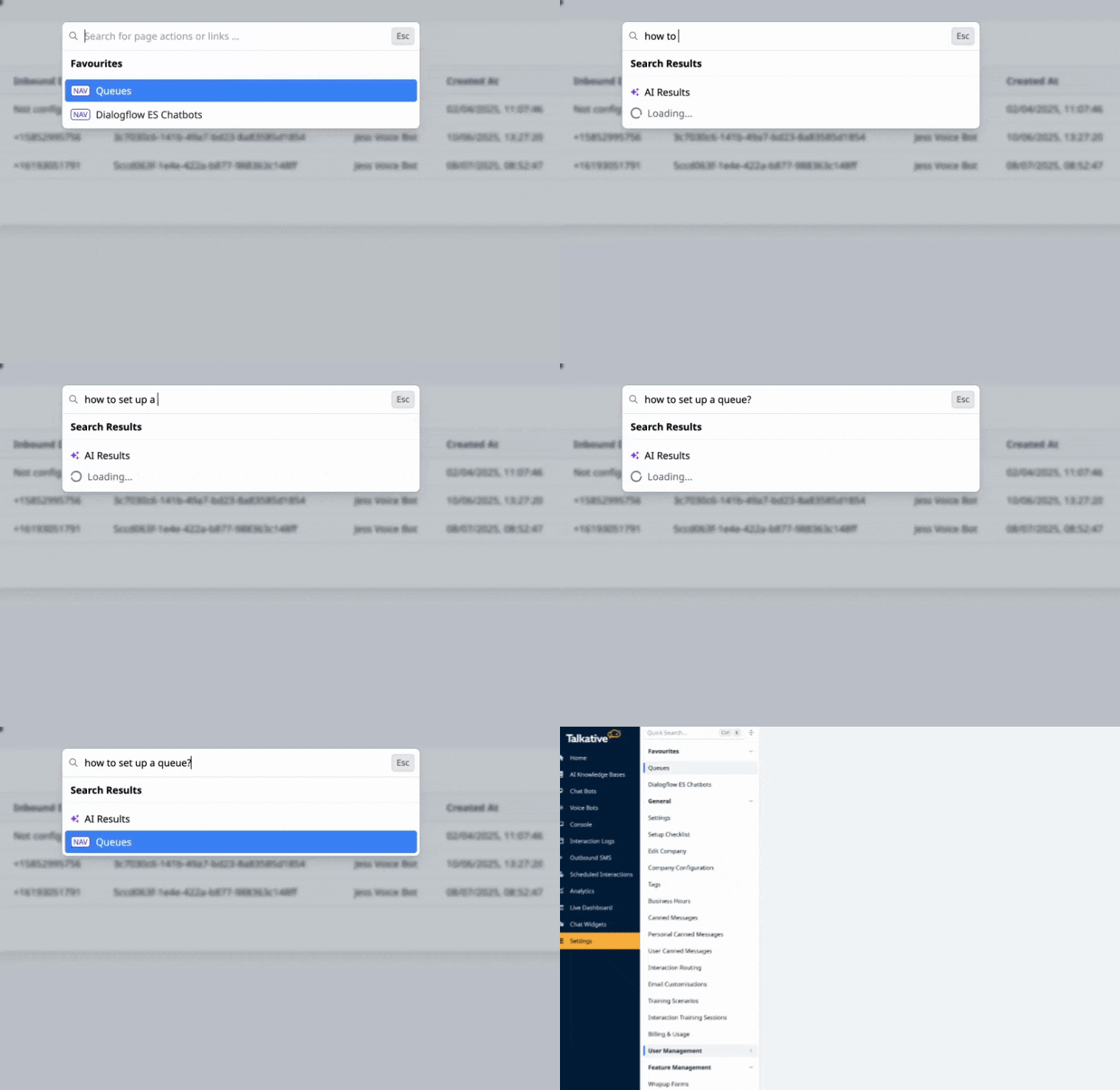
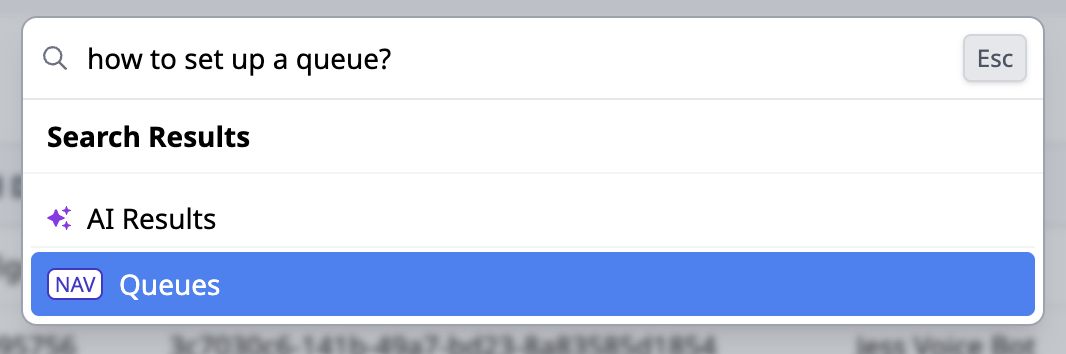
LLM-powered settings search
Settings search now uses large language models to return smarter results based on meaning, not just keywords. You can now find what they need - even without knowing the exact name of a setting.
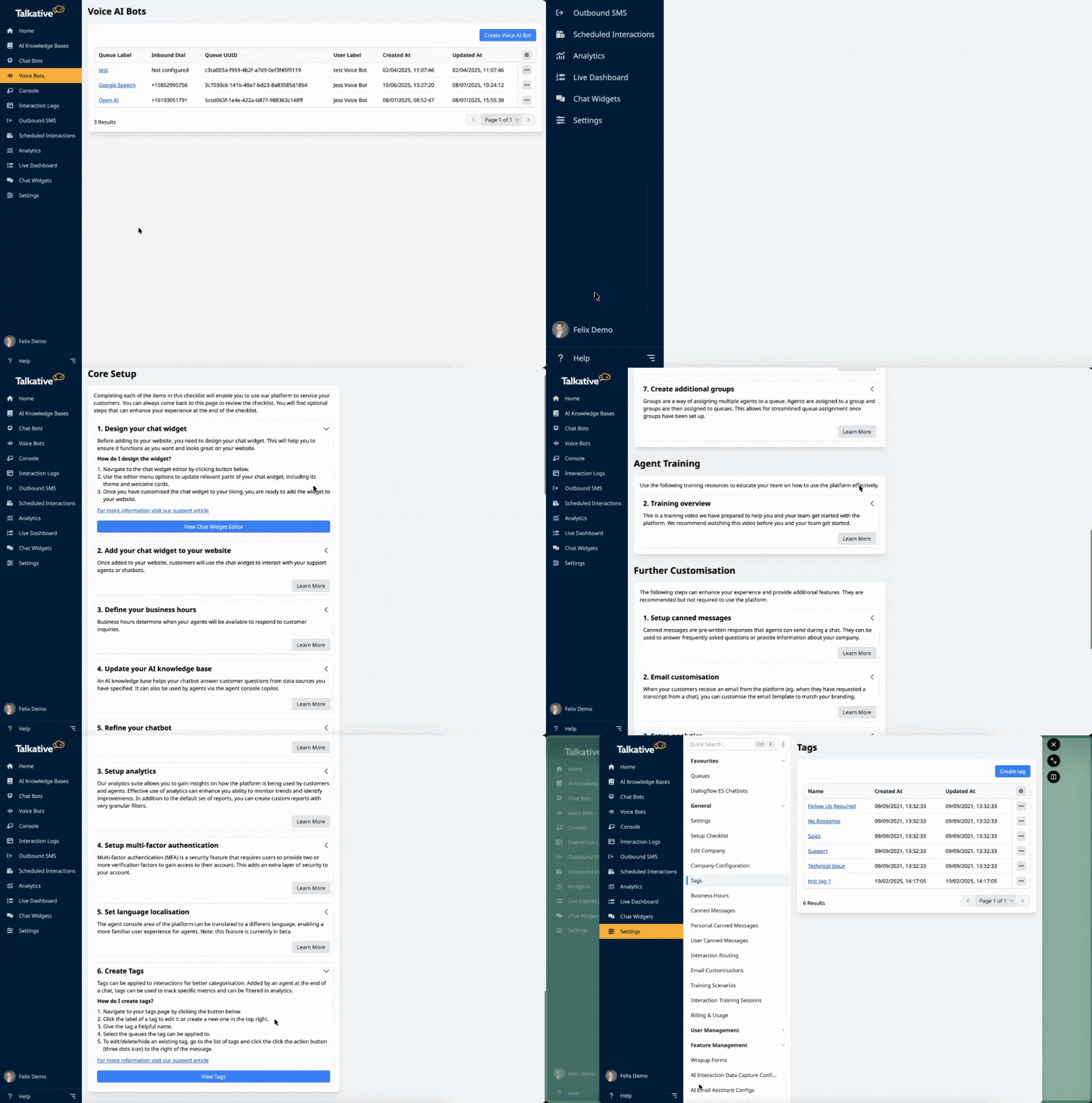
Setup checklist added to sidebar
There’s now a Setup Checklist available under your profile menu, with step-by-step guidance and links to relevant help articles. New users can get up and running quicker without needing support.
Improvements
Voice Bots now in main menu
Voice Bots are now accessible directly in the left-hand navigation, just under Chat Bots. Voice features are easier to find for teams exploring automation.

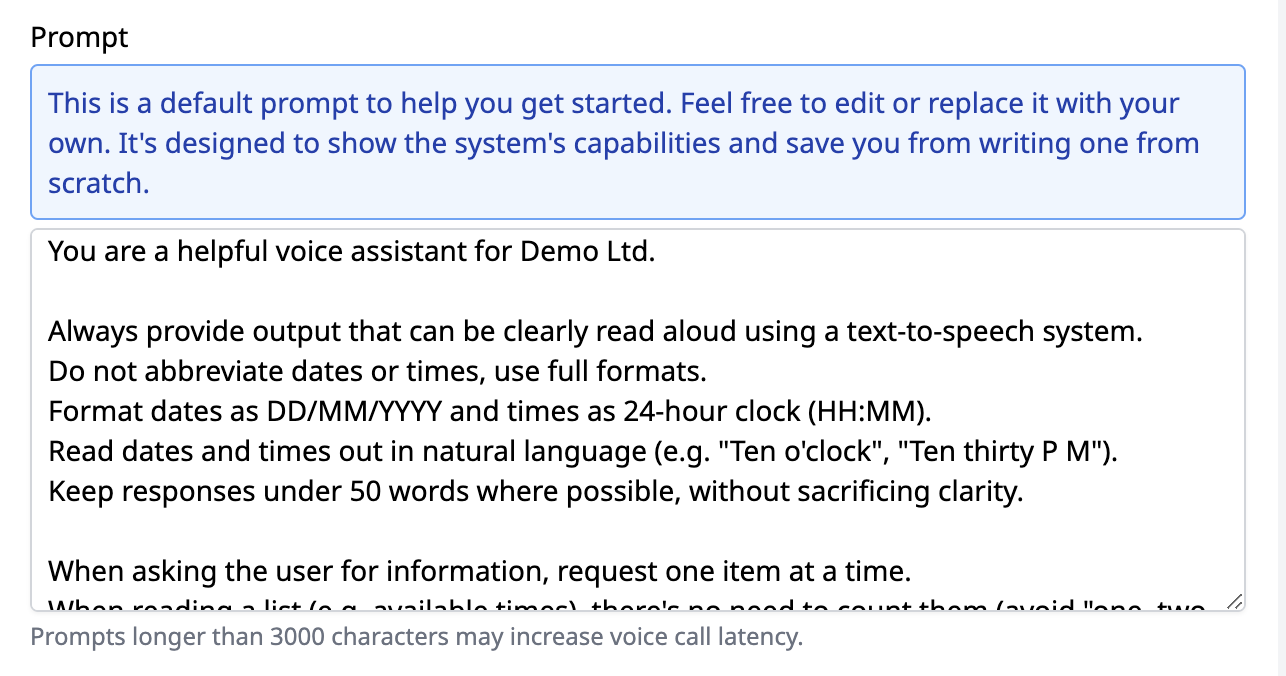
Default prompt added to new VoiceAI configs
New VoiceAI setups now include a built-in system prompt and helper text. Removes the blank slate and gives users a clear starting point.
More voice options added to VoiceAI
We’ve expanded the available voice selection with more language and tone options. Gives you more flexibility in how your VoiceAI assistant sounds.
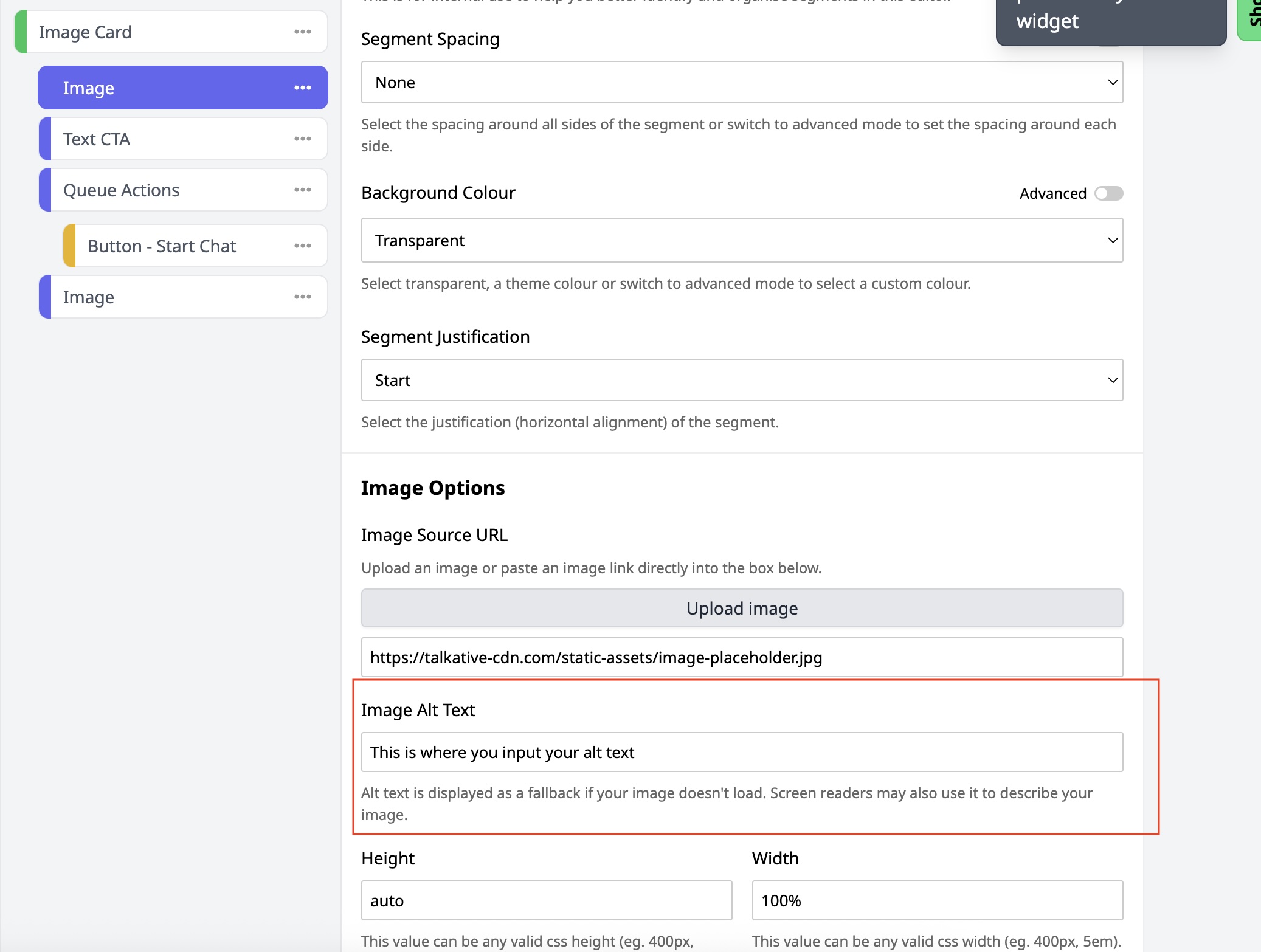
Alt text now supported across all chats
You can now add alt text to any uploaded image across chats. Improves accessibility and ensures screen readers can interpret visual content.
You’ll find the new setting under the Image segment in the Image options section of the Widget Editor.
Note: This requires your chat widget to be upgraded to version 0.51.
“Powered by Talkative” wording updated
The widget footer now shows “Talkative” instead of “Talkative Engage.” Keeps the branding consistent with the rest of the platform.
Bug fixes
Corrected date handling in AI data capture
Interaction summaries now reflect the correct current date. Ensures accuracy when reviewing data in transcripts or exports.
End Interaction button hidden for NiceCxOne
The End Interaction button is no longer shown when using NiceCxOne routing.