
Talkative changelog
Rating AI responses, smoother VoiceAI setup, and more fallback queue options
Release 1.135.0 · 14th August 2025
New Features
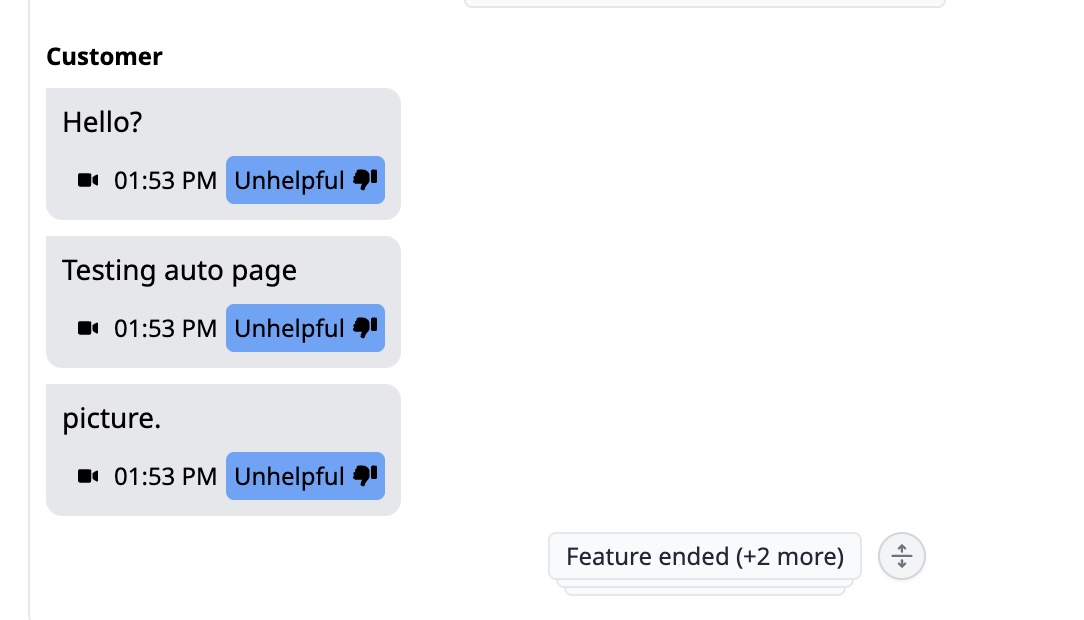
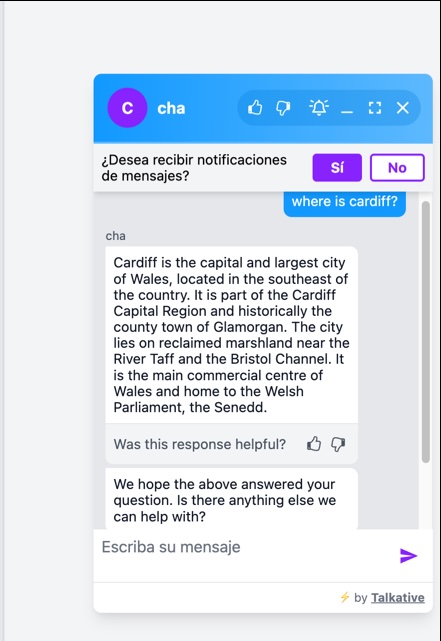
Thumbs up/down feedback for AI responses
End customers can now rate AI Knowledge Base responses as helpful or unhelpful directly in the chat widget. This is then reflected in interaction logs so you can monitor accuracy and customer sentiment.
Note: Requires widget config version 0.52 or above.
Fallback queue transfer messages
You can now set a message to appear when a customer is rerouted to a fallback queue (e.g. due to language availability). Helps reduce confusion and improves the customer experience during queue transfers.
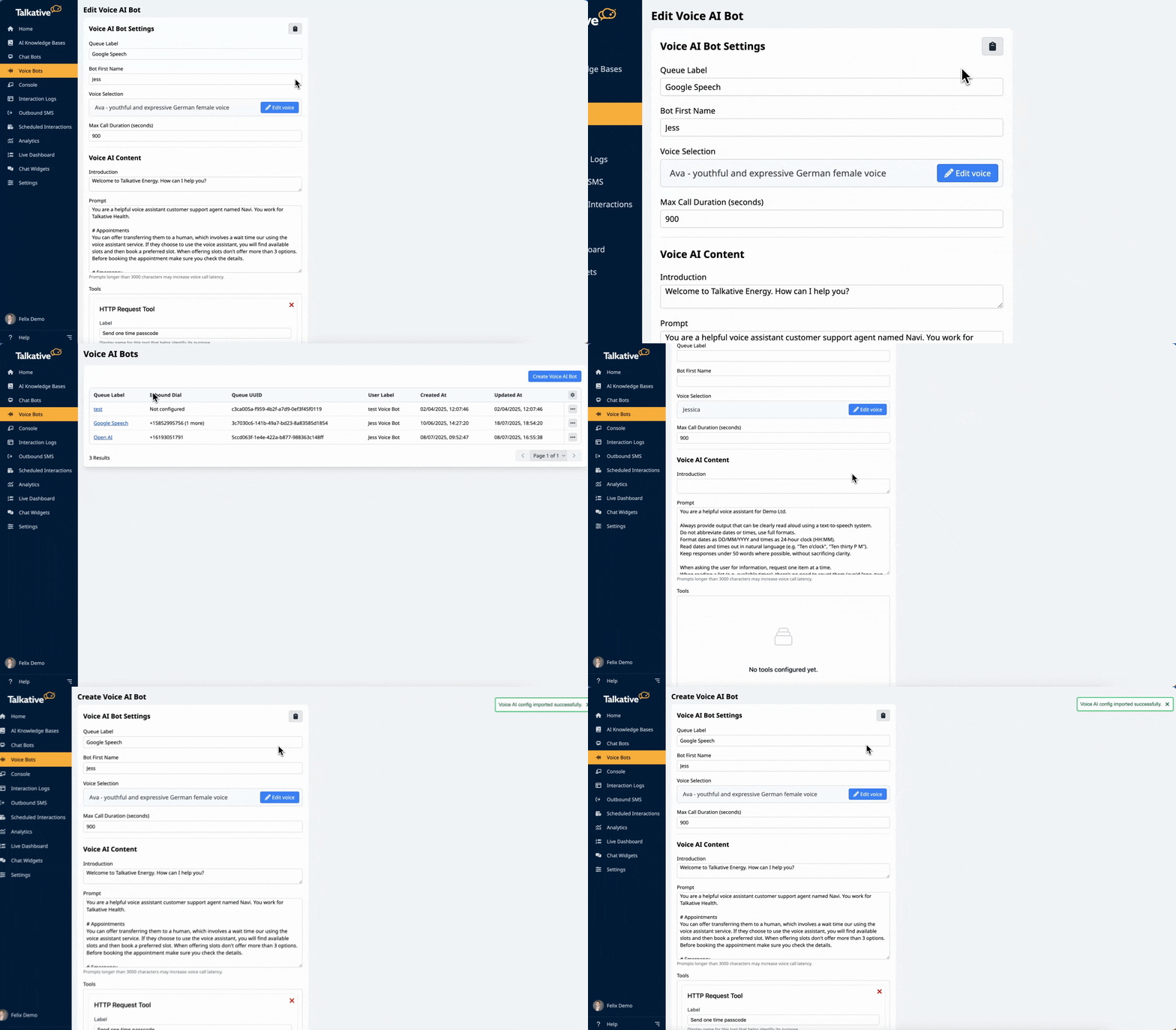
Export/import VoiceAI config
It’s now possible to copy/paste full VoiceAI configurations across companies, dramatically speeding up initial setup. Copy from the edit page of a VoiceAI config and paste into another with a single click.
Picture-in-picture for interaction playback
If you’re playing a video in the interaction log and return to the timeline, the video now continues in picture-in-picture automatically. This makes it easier to follow transcripts and recordings at the same time.
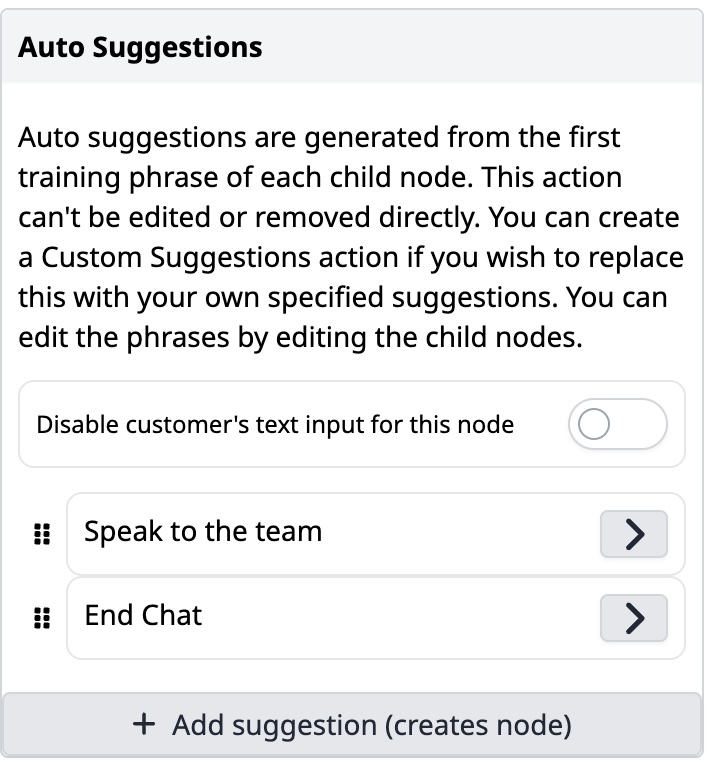
Block customer typing when suggestion buttons are visible
We’ve added a setting to disable text input when suggestion buttons are shown in the bot. This can be toggled per node, giving you tighter control over how structured you want customer replies to be.
‘Notes’ field for scheduled interactions
A new “Notes” field is available when scheduling interactions. These notes are visible to agents in the Console while the interaction is active, and also appear in Interaction Logs under Interaction Data for reference.
Improvements
Default to GPT 4.1 for AI tools
We now default to GPT 4.1 when available, delivering smarter and more accurate AI suggestions across Talkative. This applies only to eligible plans – GPT 4.1 is disabled for starter/free plans.
Updated default feature setup for new companies
New companies with AI enabled will now start with a smarter baseline:
Wrap-up forms enabled
VoiceAI config added by default
Copilot tools switched on (autocomplete, suggestions, GPT 4.1)
Monthly analytics bulletin created per queue
Alerts enabled
All available AI models unlocked (including LLaMA)
Fixes
Containment rate now reflects email escalation
Escalating from chatbot to email now counts as an escalation in your containment stats. Previously, this was missed, which led to misleading containment rates.
Tagging possible even if no tags were added live
You can now add tags to interactions even if none were set during the conversation. This helps maintain consistent tagging and improves post-chat reporting.
Anchored pop-ups behave more consistently across the platform
We’ve fixed an issue where certain pop-ups would appear in unpredictable positions rather than being anchored to the element that triggered them. They now open in the right place, making navigation and actions feel smoother throughout the platform.