
Talkative changelog
New Voice AI Editor, Copy & Paste Tools & more

Release 1.158.0 | 15th October 2026
✨ Notable features
New Voice AI Editor
The new Voice AI Editor is now live and switched on for you automatically. It has everything the current editor does, plus:
Versioning, so you can track changes and roll back with confidence
Test runs and evaluations built in, so you can check your Voice AI before it goes live with customers
Clearer error handling to help you spot and fix configuration issues faster
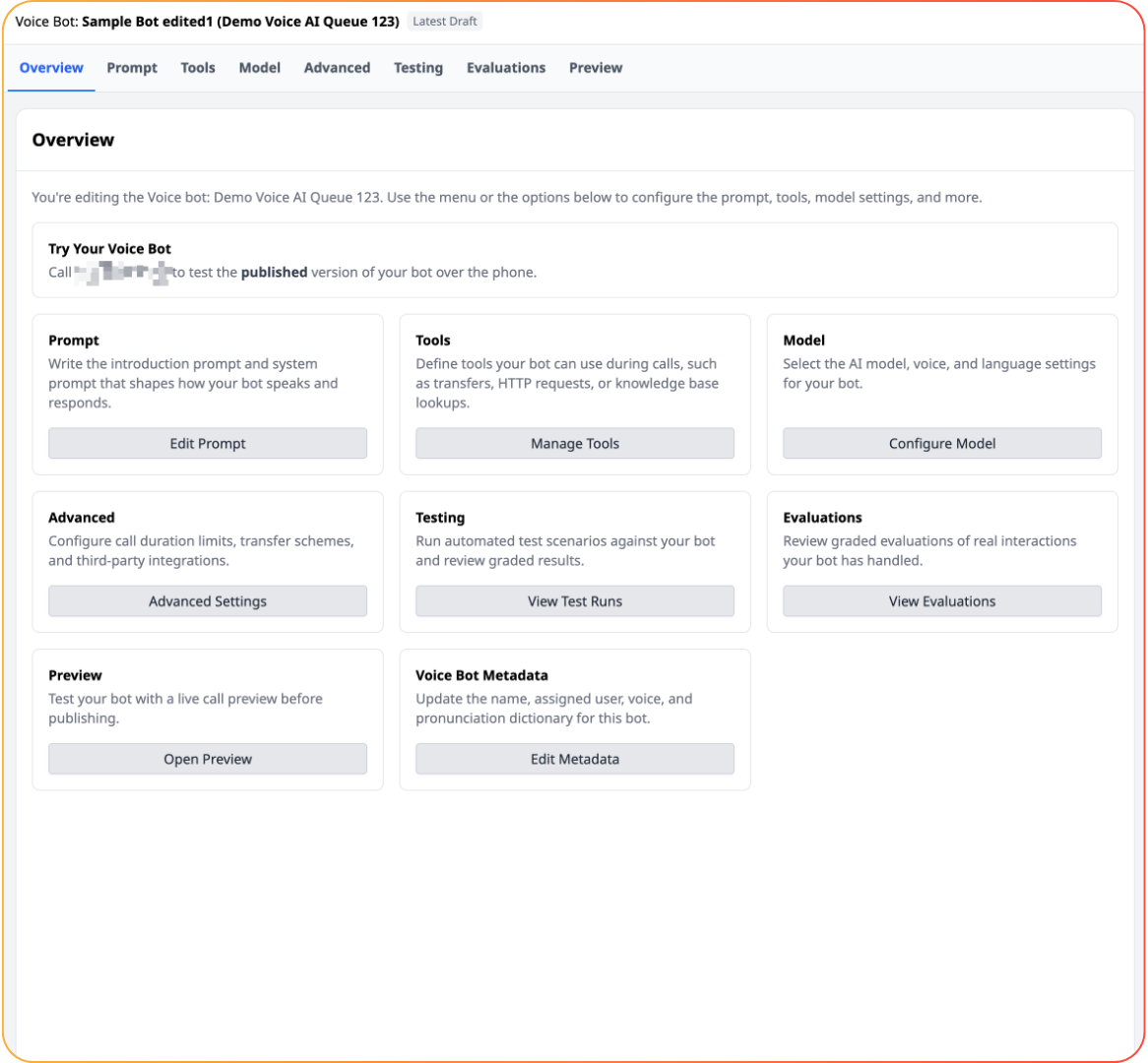
Prefer to stay on the legacy editor for now? Use the banner at the top of the editor to opt out. The legacy editor will be retired on 9 November 2026. If something you rely on is missing from the new editor, please let your Customer Success Manager know.
Copy and paste tools between bots
You can now copy and paste individual tools within a bot, or between bots, including between LLM Chatbots and Voice bots. Build a tool once and reuse it wherever you need it.
Tools that work across both LLM Chatbots and Voice bots:
HTTP request tool
AI knowledge base tool
Scenario tool
Interaction data capture tool
Interaction end / hang-up tool
💡 Improvements
Voice AI
Email tool: your Voice AI can now send an email, for example when no agents are available, instead of ending the call. The email includes the transcript, any captured interaction data and a link to the interaction.
Current time tool: Voice AI now has a built-in system tool to check the current time, so it can answer time-based questions accurately.
Test HTTP tools in the editor: test an HTTP tool on its own, without simulating a full interaction.
Custom tool names: set readable names for your tools under Advanced settings in the new editor. This can improve how reliably your Voice AI calls the right tool.
DTMF in Speech to Speech: keypad input, including DTMF transfers, now works in Speech to Speech.
More reliable connections: we have improved connection reliability to reduce dropped calls.
Fewer notifications: test runs and evaluations no longer trigger usage notifications.
Interaction Parking Events: a new log of parking errors to help you troubleshoot routing Voice AI calls into your system. Search for "Interaction Parking Events" to find it.
LLM Chatbot
Choose your model: select GPT-4.1 or GPT-5.6 Terra to power your LLM Chatbot. New bots use GPT-5.6 Terra by default.
Latest bleeding edge model: the bleeding edge model is now GPT-5.6 Terra (previously GPT-5.5).
Platform
Simpler WhatsApp setup: you can now set up WhatsApp without leaving the Talkative platform.
Smarter auto tagging: auto tagging and suggested tags now take tool use into account, such as a transfer, for a more accurate picture of each interaction.
🐞 Bugfixes
Timeout messages no longer appear while a video call is active.
In LLM Chatbot, the tools dropdown in the sidebar now displays correctly when you select the last tool in a long list.